
Book and pay for your transfer
Book below and pay securely inside our booking system — card details are entered in the payment step, never by email or over the phone. If you already have a reservation and need a payment link for it, contact our team.
Get a quote
Coming soon
See where the vehicle is and talk to the chauffeur, without calling anyone
Transekur's new client portal does not change how you book: it changes what you can see and who you can reach while the service is running. When your guest's flight lands late at 11pm, you open the portal, watch the assigned vehicle move on the map, and message the chauffeur in the same thread as the booking.
What the portal will bring
- Live tracking of the assigned vehicle on a map — position, speed and heading, from assignment through arrival.
- Direct chat with the chauffeur while the service is running, by text or voice note, inside the portal and with no phone numbers exchanged.
- Automatic flight tracking: scheduled time, actual time and delay minutes, so pickup follows the real landing rather than the printed schedule.
- Booking requests with an approval step: your staff request with guest details, flight, time, passengers and vehicle class; a manager approves before it is confirmed.
- Messaging with Transekur attached to each booking, so all correspondence stays on the trip record instead of in an email chain.
- Support tickets with category, priority, response target and escalation.
- You will be able to request invoicing from inside the portal instead of emailing accounts.
- Consolidated billing by period: one statement covering a date range, with subtotal, adjustments and total, rather than a receipt per trip.
- Each statement line will tie back to a specific reservation with its description and amount, so a finance team can reconcile against their own records.
- The invoice will arrive as a proper document through the existing Square invoicing integration, with its own link to review and pay.
- Full account activity history: every action is recorded and reviewable.
The system as it stands today
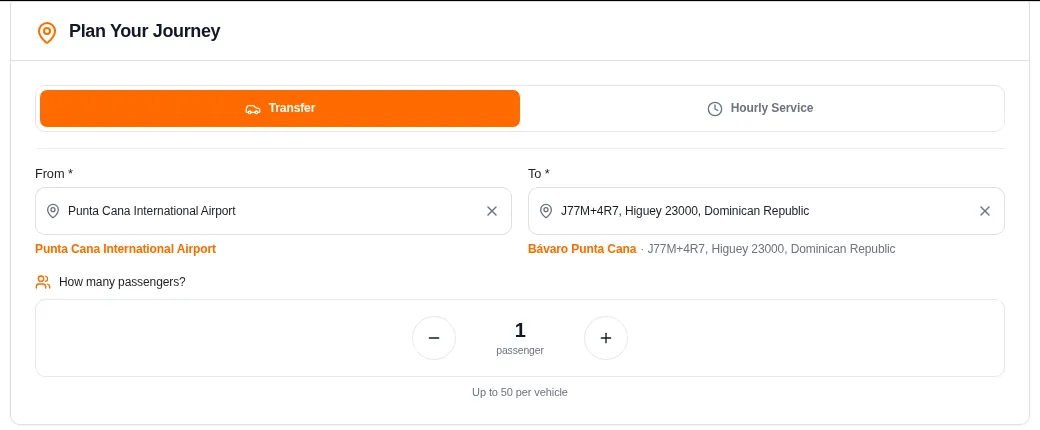
Step 1 — route and passengers
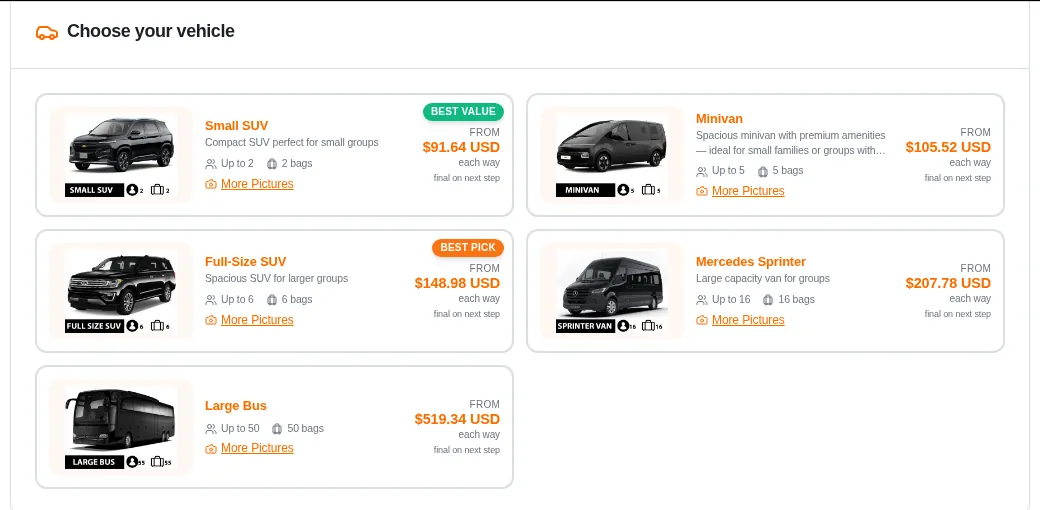
Step 2 — vehicle class by party and luggage
Step 3 — flight, luggage and trip summary
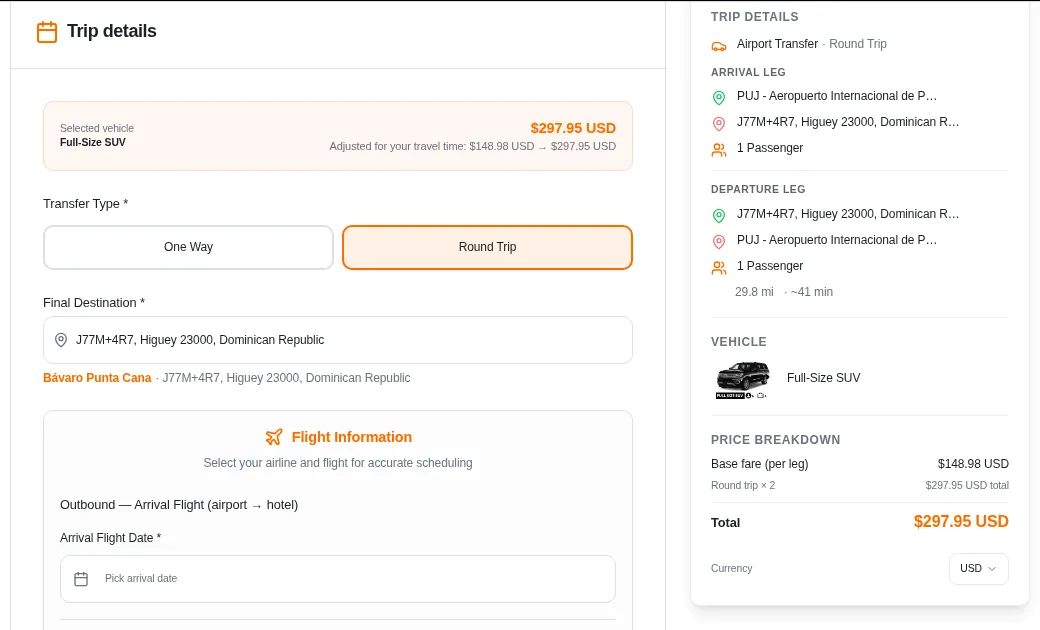
Real screenshots of the working booking system. Not illustrations.
Want early access for your team? Write to us and your account manager will arrange it.
Contact Transekur